Our CRM works for your results

It combines ease of use with powerful functionality. It has been designed with real-world business processes in mind, so it can be easily adapted to suit your company’s needs: from lead and sales management to the automation of day-to-day tasks.

Contact Us
PC CRM Web Application Demonstration PC CRM Web Application Demonstration
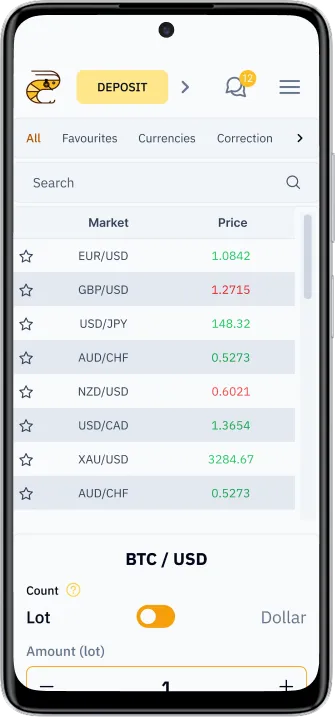
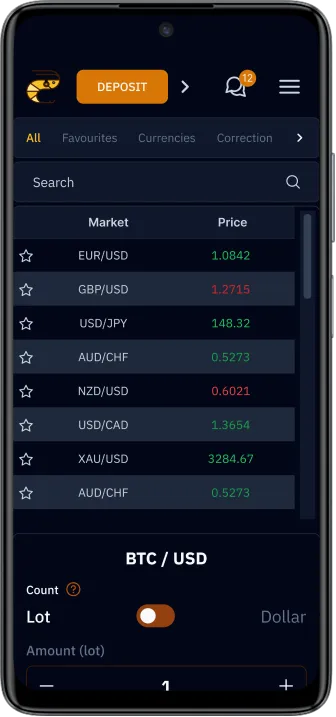
Phone CRM Web Application Demonstration Phone CRM Web Application Demonstration

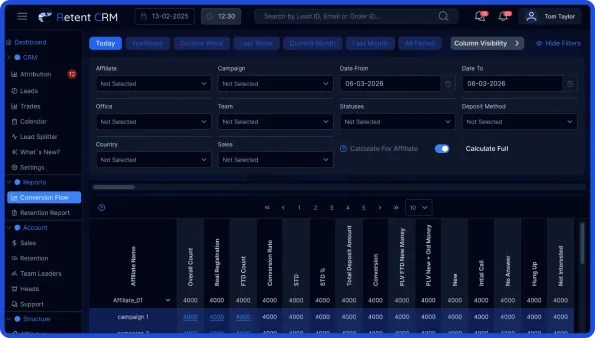
Conversion Flow

Conversion Flow provides:
  • Assess the performance of each partner
  • Analyse traffic quality by campaign
  • Monitor conversion rates in FTD
  • Track repeat deposits
  • Assess the actual profitability of channels
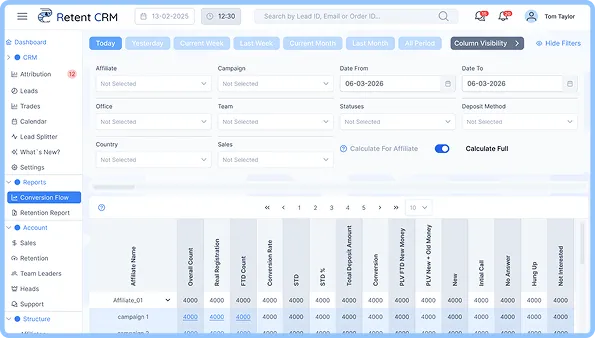
Conversion Flow Page CRM Image Conversion Flow Page CRM Image

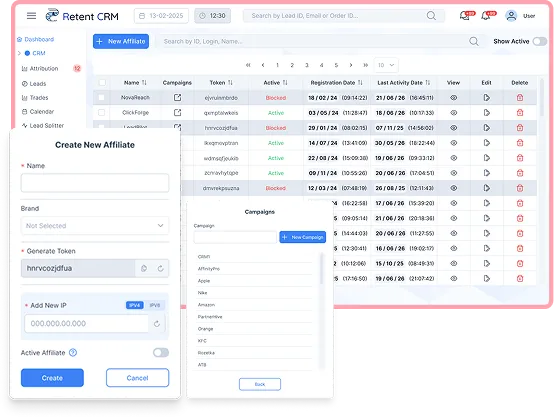
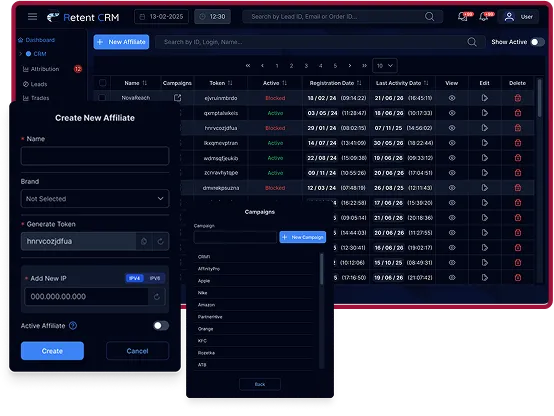
Affiliate

The Affiliates module provides a dedicated layer for managing the affiliate ecosystem, integrated with the API and financial settings
  • Partner status management
  • Real-time monitoring of partner activity
  • Complete history of interactions via the logging system
  • Bulk management of the partner network
  • Traffic quality control
Affiliates Page CRM Image Affiliates Page CRM Image

Calendar & Notifications

  • Call and task scheduling
  • Visual process management
  • Automatic call reminders
  • Monitoring of missed contacts
  • Timely response from managers
Calendar Page CRM Image Calendar Page CRM Image

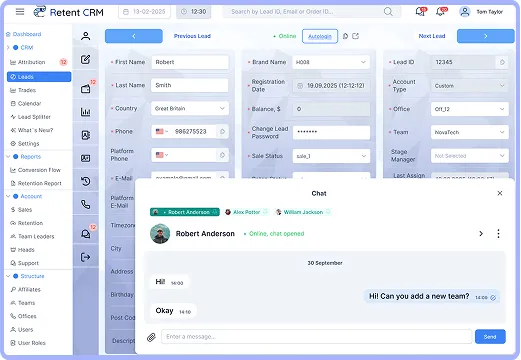
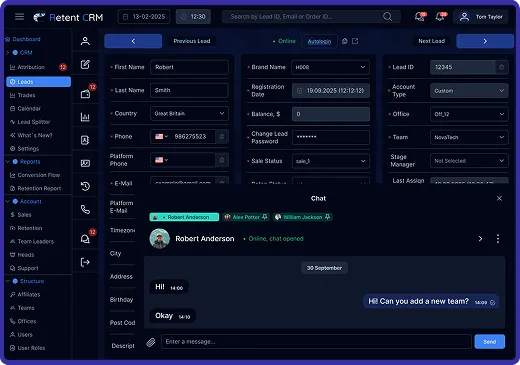
Chat

  • Built-in chat for communicating with customers in the CRM
  • Quick replies without switching between services
  • Complete history of correspondence with the customer
  • Communication linked to a lead or deal
  • Instant notifications of new messages
Chat Page CRM Image Chat Page CRM Image
Desktop Image With CRM Features Desktop Image With CRM Features

Features and Useful Functions

  • Opening trading accounts for clients directly from the CRM
  • Viewing clients’ trading activity
  • Managing client requests for deposits and withdrawals
  • Receiving notifications about all client financial transactions -deposits, withdrawals and other monetary transactions
  • Exporting and importing client data

Learn More About Advanced Settings

Laptop CRM Image Laptop CRM Image

WhiteList

  • Access to the CRM is restricted to authorised IP addresses (IP whitelist)
  • Flexible management of the list of permitted IP addresses
  • Quick addition or removal of addresses
  • Blocking of unauthorised connections
  • An additional layer of security for corporate data
  • Protection against unauthorised access and suspicious activity
  • Access control for teams and office networks
  • Enhanced overall cybersecurity for CRM

API Settings

  • Control over the fields available for data transfer
  • Flexible configuration of transfer parameters
  • Management of integration configurations
  • Standardisation of lead structures
  • Minimisation of technical conflicts
  • Rapid onboarding of new partners
  • Quality control of transferred data
  • Easy scaling of the partner network

Payment Config

  • Configure the financial terms of the partnership
  • Manage the settlement process
  • Centrally update partnership terms
  • Flexibility of the business model
  • Control over margins
  • Transparency of financial terms

Multi-Brand

  • Support for a multi-brand structure within a single CRM
  • Manage multiple brands from a single interface
  • Segregation of data, leads and processes by brand
  • Customisable settings for each brand
  • Centralised analytics across the entire brand portfolio
  • Seamless onboarding of new brands into the system
  • Efficient management of teams and resources across brands

Flexible Settings

  • Flexible system of roles and access rights
  • Customised access to CRM tabs and sections
  • Control over access to individual fields and data
  • Restricted access to financial informationCustomisable settings for each brand
  • Configuration of trading and transaction rights
  • Segregation of access between teams and roles
  • Secure data management within the company
  • Full control over user actions within the system

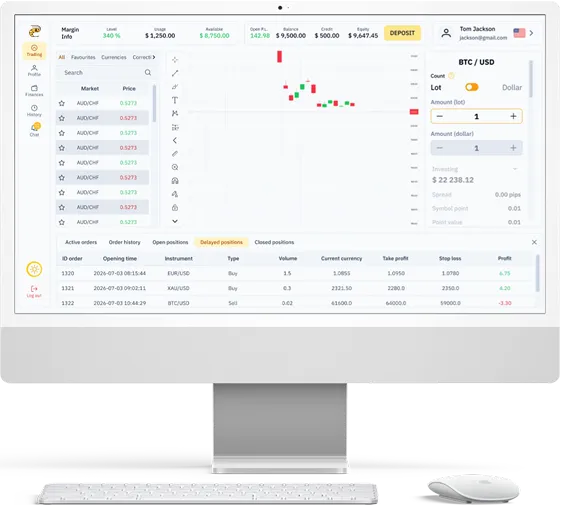
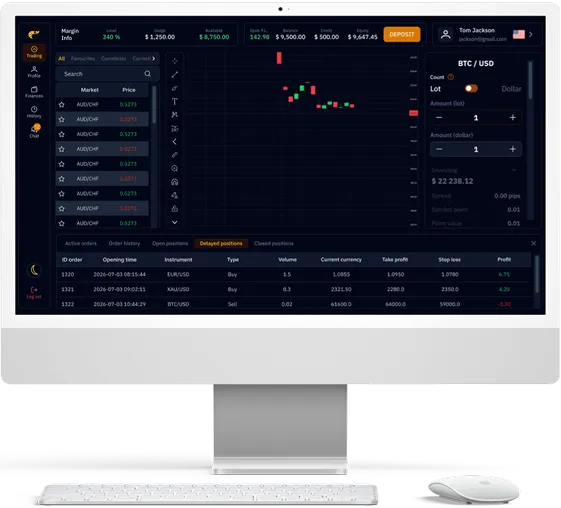
Meet our Trading Platform

IMac 24 CRM Page IMac 24 CRM Page
Icon Chart Pie Icon Chart Pie

Quick access to the trader’s dashboard features via a single account

Icon Chart Pie Icon Chart Pie

A variety of colour schemes and flexible chart settings

Icon Chart Pie Icon Chart Pie

Place pending orders in just two clicks, thanks to automatic order type detection

Icon Chart Pie Icon Chart Pie

Access to the most important market events via the economic calendar

Trading Candles

Frequently Asked Questions

What is a CRM?
A CRM (Customer Relationship Management) system is software that helps businesses manage interactions with leads and clients — from first contact through sales, retention, and support — all in one place.
How does Retent CRM help with lead management?
Retent CRM automatically captures, assigns, and tracks leads through every stage of the sales funnel. Features like the Lead Splitter distribute incoming leads fairly across your sales team, while built-in filters let you search and manage leads by country, status, or registration date.
Can I manage affiliates and partner payouts through Retent CRM?
Yes. The Affiliates module lets you track partner performance, analyze traffic quality by campaign, monitor conversion rates, and calculate payouts — all without leaving the CRM.
Is Retent CRM secure for handling client data?
Security is built in at multiple levels, including IP whitelisting to restrict CRM access to authorized addresses, role-based permissions for teams and offices, and protection against unauthorized access and suspicious activity.